Thursday, October 22, 2015

Top Halloween Pins From The Cherry On Top

Welcome to a spectacular edition of The cherry On Top.

We've got our top five most Pinned projects for you. It's a great variety and sure to get your creative juices flowing.  If you're looking for more ideas hit up our Halloween board on Pinterest.  We've got costumes, recipes, games, decor...all of the bases are covered.  Each image is linked up to our board.

 Pinterest

This one was a surprise to me, but they are pretty cute.  Print and cut or print and colour.

 Pinterest


 Pinterest

Of course, freebies are always hot!  We've got a few of our own.  Make sure you check those out.


 Pinterest

Here are some fabulous ideas for decor.  We got a few of our own, here.


This cute recipe was by far, our most Pinned Pin and it's very creative and sure to bring smiles to your ghouls and goblins.

That's it for us this time.  Thanks so much for making The Cherry A Part of your day.

Wednesday, October 21, 2015

Free Halloween Template From The Cherry On Top

Welcome to a festive, freebie filled blog of fun.

So, this idea popped into my brain for a template and it sat there for a while because I wasn't sure how to pull it off.  Yesterday, I sat down behind the computer and made it all happen.  This was the result.


 I love the large title and all of these spots for photos, papers or journal cards in various sizes.  It gives it depth and interest.

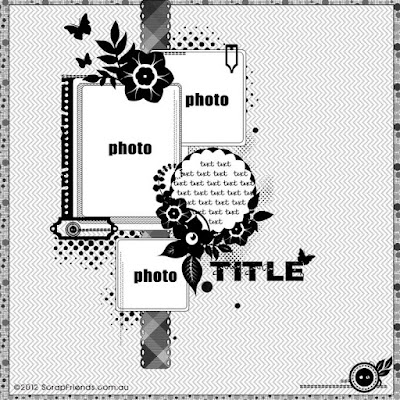
This is what the template looks like on its own.  I wanted to turn the entire layout into a template because getting those images into the squares isn't easy without the templates behind them.  Saving you time, baby!

To make this, all I did was find a chunky, fun font.  Duplicate the background and shape cut the frame.  Duplicate the background again and crop the lines, if you will, in the same width, adjusting the lengths to make this shape.  Then, merging the layers and vanishing the background.  That's it!


This was my layout using the template and Paty Greif Digital Designer's new kit, My Scary Friends.  A couple of clusters, a journal card, scatter, scary eyes and a few elements to add to the pot.

 PBP

 PBP

All of our freebies are for Personal Use ONLY.  Do not resell them or claim them as your own.  We really appreciate your likes, shares, +'s and Pins.  

Click on the image to download.

 free download

This blog, our Facebook Page and Pinterest is FULL of freebies.  Follow us, become a fan and indulge in our daily goodies.

Check out this board to see most of our free stuff or enter "free" or "freebies" in our search field at the top of the blog.  Grab a cup of Jo, sit back and scroll through our previous blogs and enjoy.

Thanks for giving us some of your time.  We love when you do that.


Tuesday, October 20, 2015

Covering A Duvet Without The Work Out

Welcome to another helpful edition of The Cherry On Top.

I don't know about you, but covering a duvet was like an aerobic workout!  Shaking and lifting and lifting and shaking and crawling on and off of the bed and more lifting and shaking.  Hehehe...

A couple of months ago I saw a video on how to easily cover a duvet.  I tried it out and it worked great!  It's called the Tamale Roll.  I found some videos and chose one that was more entertaining and without commercials.

Your duvet should start off flat, spread out and inside out. 

Place your duvet neatly over the top of it.  Starting at what would be the top of your bed (by the pillows) start rolling it. 

When you have it rolled, tuck the corners into the opening.

Unroll and that's it!

No more sweating and panting!  Hehehe...


If you want to see the video from the...Crazy Russian Hacker, click here.

I don't need this technique for single duvets, but I'm thinking that the boys might be able to do it themselves this way.  I already have them stripping their beds, replacing the fitted sheets and pillow cases.

Make sure you're teaching your children these valuable skills.

Have a super day and thanks for stopping by.

Sunday, October 18, 2015

Getting Kids To Eat Vegetables

Welcome to The Cherry On Top.

We are back with some more tips on getting picky eaters to eat veggies.

My youngest has sensory issues and getting him to eat is definitely a challenge.  My oldest is just so picky.  If it were up to him, he'd eat pizza, hot dogs and grilled ham and cheese only.  Hehehe...Vegetables are really important and we just can't give up and we haven't.  Our persistence has totally payed off.

Remember never to force kids to eat, but encourage and occasionally, reward them for clearing a plate.  We hold computer/game time over their head, every single night.  No games if their plate is not completely empty.  This works incredibly well.  Many times our children are reluctant to eat something that doesn't look pleasing to them, but when we remind them no games, they get down to it and occasionally, they end up liking it.  So often, the kids need to just give the food a chance and take more than one bite.

 TCOT

We often eat our vegetables mixed with something else from the meal.  A huge success is mashed potatoes mixed with other vegetables.  So many vegetables work with this.  Try carrots, spinach (yes and totally, you may be surprised) cabbage, leek...and by all means, use sauce too.

 TCOT

The smaller the vegetable pieces, the better.  When it comes to carrots, they don't mind larger pieces and they mush well with the potatoes.  I mashed them both together.  Consider cooking your potatoes and carrots with bullion.  I reserve this liquid when the mix is finished cooking and use it to make a sauce.

 TCOT

When it comes to veggies I know, the kids are not crazy about like leek and cabbage, I puree the vegetables.  Puree vegetables and put them in your sauce.  This works really, really well, too.


This meal is a topper for the children.  I pan fry sausage of various sorts like chicken, chipolata, lamb, merguez...they like all sausage so far and since hearing about how farmers are putting antibiotics in our healthy pigs, I've cut way back on pork products.  Thank goodness there are so many other choices.

The pasta pictured here is spatzle.  It's a German, egg pasta.  We live very close to Germany and I buy it every time we visit.  The fresh spatzle is amazing, but I can't find it just anywhere. For this supper I minced cabbage and I'm pretty sure cooking it in a nice amount of butter is what makes this JJ's favourite.  You don't have to use this kind of pasta.  You can use any kind of pasta.  Click here to get my recipe.  It's very easy!

Click on this image to get even more tips and learn some tricks to get your kids to eat healthier.

 TCOT

The image below, is linked up to a blog with lunch and snack ideas that kids love and there is a fee printable, too.

 TCOT

We understand just how challenging it can be to get kids to eat healthy food and we've dedicated several blogs to help you out.  Use our search, located at the top right of the blog to find more or hit up our Pinterest where you can find Lunch For The Lil'Ones and our Food board is really popular, too.  We typically Pin easy, low cost, healthy, fast meals and recipes there.

Thank you for hanging out with The Cherry.


Friday, October 16, 2015

More Free Halloween Printables From The Cherry On Top

Hey there, Happy Scrappers and Crafters!

We've got another hybrid edition together for you.  The big holiday is nearly here.  Are you ready?  I found an amazing full size skeleton, yesterday and I'm just over the moon.  This years yard and picture window is going to be amazing.  Just wait!

Last year's is going to be tough to beat.  If you want to see what we did, click here.

I posted this free poster printable (without frame) last week.  It's designed with goodies from MagsGraphics Designs, Halloween Horror.  It's a digital scrapbooking kit geared for your older ghouls.  Don't let the word scrapbooking put you off, if you are not into scrapbooking.  You can use these digital designs for all kinds of other projects.  This one here is a great example.


You can have the above project made in minutes and you can make it any size you want.  I had to make some adjustments with sizes of both the frame and the poster to get it to fit just right.  So make sure you check it all out before printing.  You could very easily shrink up the poster in your software program then layer the png frame I designed, over the top.  Easy peasy!

I printed both my frame and poster on regular paper, then glued them both to heavy, black card stock and cut around the frame with some room for the black border effect.

I wanted the frame to stand on its own so I designed this piece of card stock for the back to hold it up.


I can't believe I didn't think of this before.  I didn't even cut this leftover scrap of card stock that I had.  Simply score across the top, like I did here, put on your adhesive, set the frame up and the scrap to the position you like and press it on.  So easy!


This is the frame.  I made it in PSE with the shapes available right with the software.  I wanted to give you options with this digital frame, so I put it in a png version that you can get by clicking on the image.  This way you can use it in your digital stash any time you want without the background.
 free frame
There you have it!  Add another one of The Cherry's free printables to your halloween stash.


What other free printables?  Click here to see more.

All of our goodies are for Personal Use ONLY.  Do not resell or claim them as your own.  We love when you leave comments, +, share and Pin.  Thanks!

Happy crafting!

How To Use Templates And Some Free Ones

Howdy, Cherry Fans!

We are back with more information on templates, how to use them, where to buy them and of course, a free one to get you started.

I'm fairly new to templates.  In the beginning, I didn't want anything to do with them.  I felt like I was cheating by using them.  Perhaps because I didn't really know what they were or how to use them. Not all templates are created equally and I certainly still have a lot to learn in regards to using and making them, but I'm pretty addicted.

What is a digital template?  Here's the tutorial that I used to get started.  Here's another tutorial for those of you with MyMemories software. If you don't have any software, grab the My Memories free trial and if you love it, use this coupon code (STMMMS18837) to save $10 on the already amazingly cheap price. 

The Digital Scrapbooking Studio is having a sale on templates.  All different kinds of templates.  You'll find hundreds of different style templates there.  Like this one from Manu Scraps.  If you visit the blog, you'll get a sweet, free quick page I designed with Vero-The French Touch's new kit, Romantic Fall.  Scroll the end to get a peek.


 DSS

Yet another kind of page template you can find in the promotion at the Studio is this one from  Sweet Made Inc.  All of these templates are under $2!  This artsy style is great for lots of journaling, too.

 DSS

A digital template is like any kind of template, giving a basic example for us to follow.  Think of a template, where you trace and cut.  Like this one, below.  You could print it out, trace on to your favourite paper, cut and fold.  Following the guidelines.


 TCOT
This freebie is still available.

A template can be viewed like a sketch.  A sketch is flat.  There are no layers.  It's just a visual to get your layout started when you're needing a push.  A template is layered and can be adjusted, unlike a sketch. I use sketches often.  Click on the image to see more sketches.

 Pinterest

Here is the sketch in action using Boomersgirl Designs new kit, Pumpkin Guts found at Ginger Scraps.  Click on the image to check out this fabulous festive kit, that's also still in promotion.


So, how do you use templates?  It's different in every software program.  I use PSE on a Mac and honestly, it's nothing more than clicking on the layer you want to work with, dropping in a photo or paper and hitting command G.  That's it!  You may have to play inside the clip by using the arrows to enlarge, shrink or move.  This way is so much easier than going back and forth in a crop, trying to get your photo or paper just right.  It saves a lot of time.  TIP: Often, when I need a photo just the right size and shape, I make a template, insert it in my layout and clip in the photo.  To do that, all you need to do is make a copy of your background, shape or crop it to the size you need and put it where you need it positioned in the layers, then clip in your paper or photo.  That's it!

My photos fit just perfectly because I used templates.  Check out the layers row and see "card base".  That's just my cropped background, cookie cuttered into this rounded edges shape.


These are templates from Brenian Designs.  They are not available yet, but will be on October 24th.  She's got plenty more designs available if you want to take a peek. I want to give you a couple examples of how diverse and flexible templates can be as well as show you how you can make your template stash go further.

 GDS

Take a look at the original template above.  The one on the left.  Then look at this version I designed using the same template, but enlarging the photo, ditching the triangles, date and title and making some subtle adjustments to the positioning of the cluster.


This layout fit perfectly when adjusting the template slightly.  I used Boomersgirl Designs not yet released kit, Work Of Art.  It will release on Wednesday the 21st at Gingerscraps.  You just got yourself a sneak peek!


The second template, I adjusted quite a bit.  Added another matted circle, enlarged the photo spot, ditched the journaling and changed the positioning of the clusters.


What an awesomely fun layout using templates!

 BGD

If you are coming from the Studio where they are having a butt kicking sale on templates, then you may have seen some shaped templates in the Commercial Use section.  Manu had some adorable Penguins, which I had bought, but managed to lose. Ugh!  I did want to show you the results of playing with those kinds of templates as well.

This cute hedgehog is a template from the CU sale they had at the Studio.  It's from BooLand Designs.  Check out the layers bar, to the right.  Those are all of the shapes and what I did was consult my colour palette using the paint dropper to get the exact colour I needed, click back to the cross, high light the layer I wanted to work with, then used the paint bucket to colour the shape or layer.  After all of my colouring, I used effects to get a fuzzy, dimensional critter.

 DSS

 See him in the tag, below?  Each object on this tag was done just as I have explained, above.  Click on the image for more like this and a download.


 TCOT

This template turned out totally awesome!  Tip:  You can reuse your templates.  If you want them to stay in their original form, simply duplicate the template.  Once again, I plugged in papers from my fall colour palette and added some cool effects and shadows to the layers.


This is how I used some of the elemental templates.

 free download
Click here to download this freebie.

You now have the heads up on what templates are, how to use them, a BIG template SALE, free software and now you need a template to try out.  The Cherry will get you there!  Hehehe...Click on this preview and go download our free template and try it out.  Then check out the Studio's big template sale and see all of the fabulous designs there.  The prices are amazing even for a cheap wad like me!

 Free Download

This is quick page that's free at the Studio's blog.

 dss blog


As always, our freebies are for Personal Use Only.  Do not claim them as yours or sell them.

Thanks for spending time with The Cherry.  Now, get scrapping!


Thursday, October 15, 2015

Free Halloween Printables From The Cherry On Top

Welcome to The Cherry On Top.

We've got no tricks for you, but treats!  Enjoy these Halloween goodies any way you see fit.  Print them out on sticker paper, use your circle punch and close your treat bags.  Print, punch and use as tags or stick them on the bottom of Kisses from Hershey's or other sweets with  accommodating packaging.

 download

Here are some other Halloween freebies you can find on our blog.

 TCOT

 TCOT

Here's another link to decorating ideas and there's a fall freebie, too.

 TCOT

We love that you took the time to check out The Cherry.  Make sure ya do it, again!

*All of our freebies are for Personal Use ONLY.  Do not resell them or claim them to be your own.